How to Reduce No-Shows in Your Service Business (For Good)
No-Shows Are Costing You More Than You Think
Let's be honest about what a no-show actually costs you. It's not just the price of one missed appointment. It's the staff member who showed up and got paid, the slot that could have gone to a paying client, and the mental energy you burned chasing someone down who never responded. For a salon charging $80 per appointment, two no-shows a day, five days a week, adds up to $800 in lost revenue — every single week. That's over $40,000 a year, gone.
If you run an auto detailing shop, an HVAC company, a spa, or really any service business, you already know this pain. The question isn't whether no-shows are a problem. The question is what you're actually going to do about them.
The good news: this is a solved problem. Businesses that implement the right combination of automated reminders, deposit requirements, and smart waitlist management reduce no-show rates by 60–80%. Here's exactly how to do it.
Why Clients No-Show in the First Place
Before you can fix the problem, it helps to understand it. Clients no-show for a handful of predictable reasons:
- They forgot. Life gets busy. A booking made three weeks ago fades from memory.
- They have no skin in the game. If canceling costs them nothing, the threshold to bail is low.
- The friction to reschedule is too high. Sometimes clients intend to reschedule but can't figure out how, so they just don't show and feel vaguely guilty about it.
- Something came up and they didn't think to call. A true last-minute conflict — but one a reminder could have caught earlier.
Every one of these has a direct solution. Let's go through them.
Fix #1: Automated Reminders That Actually Work
The single highest-leverage thing you can do to reduce no-shows is send timely, well-crafted appointment reminders. Not one reminder. A sequence of them.
The reminder cadence that works best for most service businesses looks like this:
- 48 hours before: A friendly reminder with the appointment details and a clear option to reschedule if needed.
- 24 hours before: A confirmation request — ask the client to confirm they're still coming.
- 2 hours before: A final heads-up, especially useful for same-day bookings.
The key word here is automated. If you're sending these manually, you're spending an hour a day on reminder admin — and you'll inevitably miss some. With Calendence, automated reminders go out via email and SMS on whatever schedule you set. You configure it once and it runs forever. Your clients get reminded, they confirm, and the ones who need to reschedule do so through the Client Portal without ever calling you.
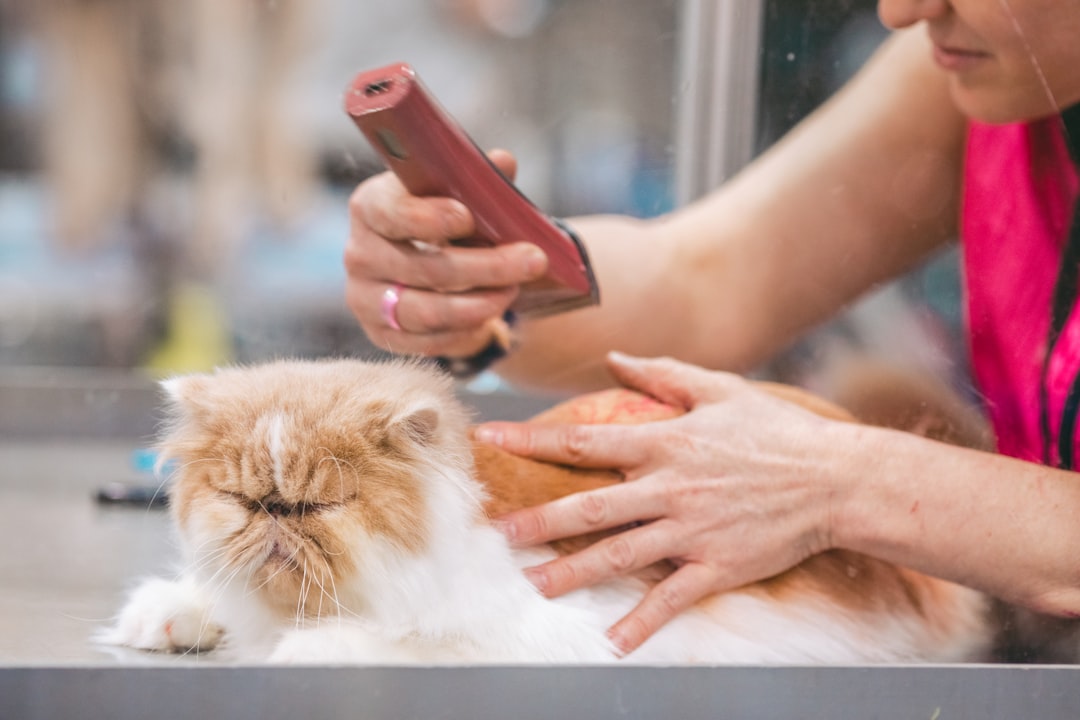
For mobile services like pet grooming or cleaning where you're traveling to the client, a two-hour heads-up reminder is especially critical. It gives you time to fill the slot or adjust your route before you're already in the driveway.
Fix #2: Require a Deposit at Booking
Deposits are the most underused no-show prevention tool in service businesses. The psychology is simple: when a client has money on the line, they show up. When they don't, cancellations happen earlier (when you can fill the slot) rather than at the last minute.
A lot of business owners hesitate to require deposits because they worry it will drive clients away. In practice, the opposite tends to be true. Deposits signal that your time is valuable and your business is professional. Clients who balk at a $25 deposit for a $200 detailing appointment were probably going to be a problem anyway.
With Calendence's built-in Deposits & Payments feature, you can require a deposit at the time of booking — and if a client cancels inside your cancellation window, you can automatically retain that deposit as a cancellation fee. Everything runs through Stripe, so there's no third-party integration to set up and no chasing people for payment. The money is already collected before the appointment ever happens.
You can set different deposit amounts or percentages for different services. A quick 30-minute consultation might need no deposit at all, while a full-day premium service might require 50% upfront. Our Growth and Pro plans both include full payment processing with no additional setup fees.
Fix #3: Use a Waitlist to Fill Cancelled Slots Automatically
Here's a mindset shift that changes everything: your goal isn't just to prevent no-shows — it's to ensure every slot gets filled, whether the original client shows or not.
That's where a waitlist comes in. When a client cancels (or no-shows), you want someone else ready to take that slot immediately. Manually calling through a list of waiting clients is slow, awkward, and inconsistent. By the time you've reached the third person on your list, the slot is already half the day away.
Calendence's Waitlist feature handles this automatically. When clients book a fully-booked slot, they join the waitlist. The moment a cancellation opens up, waitlisted clients get an automated notification with the option to claim the spot. First to respond gets it. No phone calls, no manual outreach — your calendar fills itself.
For high-demand businesses like popular barbershops or busy HVAC companies during summer, this alone can mean the difference between a productive day and a string of revenue gaps.
Fix #4: Make Rescheduling Effortless
One of the most counterintuitive ways to reduce no-shows is to make it genuinely easy for clients to reschedule. This sounds backwards — won't easier cancellation lead to more cancellations? Not really. What happens when rescheduling is difficult is that clients take the path of least resistance: they just don't show up.
When clients can reschedule themselves in under a minute, they do. They pick a new time that actually works for them, they show up to that appointment, and you're left with a cancelled slot — not a no-show. A cancelled slot with advance notice is something you can fill. A no-show at 9 AM is not.
Calendence's Client Portal gives every client a personal portal via magic link — no password, no app download, no friction. They tap the link in their reminder email, see their upcoming appointments, and reschedule with a couple of clicks. Simple for them, better for your calendar.
Fix #5: Set and Enforce a Clear Cancellation Policy
Your cancellation policy is only as effective as your ability to enforce it. Most service businesses have a policy — it's usually buried in a booking confirmation email nobody reads, and it's never actually enforced because doing so feels awkward and chasing card payments manually is a nightmare.
The solution is to enforce your policy automatically at the point of booking. When clients book through Calendence, they see your cancellation policy and agree to it before confirming. If they cancel inside the window, the deposit is retained automatically. No awkward conversations, no chasing payments, no exceptions made because you didn't have the heart to bring it up.
This consistency also trains your client base over time. Once people know you actually enforce your policy, last-minute cancellations drop significantly.
Putting It All Together
The businesses that have the lowest no-show rates aren't doing one of these things — they're doing all of them together. Automated reminders catch the forgetters. Deposits screen out the unreliable. Waitlists fill the gaps that still slip through. Easy rescheduling converts would-be no-shows into rescheduled appointments. And a clearly enforced cancellation policy sets expectations from the start.
The best part? Once you set this up in Calendence, it runs on autopilot. You're not sending manual reminders at 10 PM. You're not awkwardly asking clients for deposits over the phone. You're not calling through a paper waitlist when someone cancels. The system handles it, and you get to focus on actually delivering great service.
If you want to see exactly how this works for your specific type of business — whether you're running a spa, a mobile detailing operation, or a cleaning service — watch our live demo or start a free trial and have your first automated reminder sequence running before the end of the day.
Your calendar should be full. Your evenings should be free. Let's make that happen.